PROFESSIONAL SERVICES SCHEDULING SOFTWARE
Staff scheduling software for service teams across multiple locations
Professional services teams don’t operate from a single location. Security teams move between sites, cleaning crews follow fixed schedules, and field technicians handle multiple jobs each day.
When I Work helps you build shift schedules quickly, track time accurately, and keep your team aligned across every location. Adjust coverage when work changes, reduce admin time, and maintain clear visibility into labor costs across your operations.
Start scheduling and tracking time today.
TIME TRACKING FOR PROFESSIONAL SERVICES
Track hours accurately across every job site
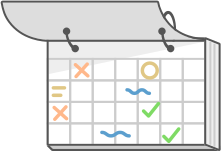
Track clock-ins, breaks, and hours worked across multiple locations with a built-in time clock. Create clear, digital timesheets without chasing paper records or manual corrections.
LABOR COST CONTROL
Keep staffing costs aligned with every job
See scheduled hours, monitor overtime risk, and adjust coverage before shifts are published. Maintain visibility into labor costs across different clients and locations.
MULTI-LOCATION SCHEDULING
Manage staff across multiple client sites
Assign shifts by location, share employees across jobs, and keep clear visibility into coverage. Adjust schedules quickly when demand changes without losing control.
SCHEDULING SOFTWARE FOR PROFESSIONAL SERVICES
Build reliable schedules across clients, sites, and service routes
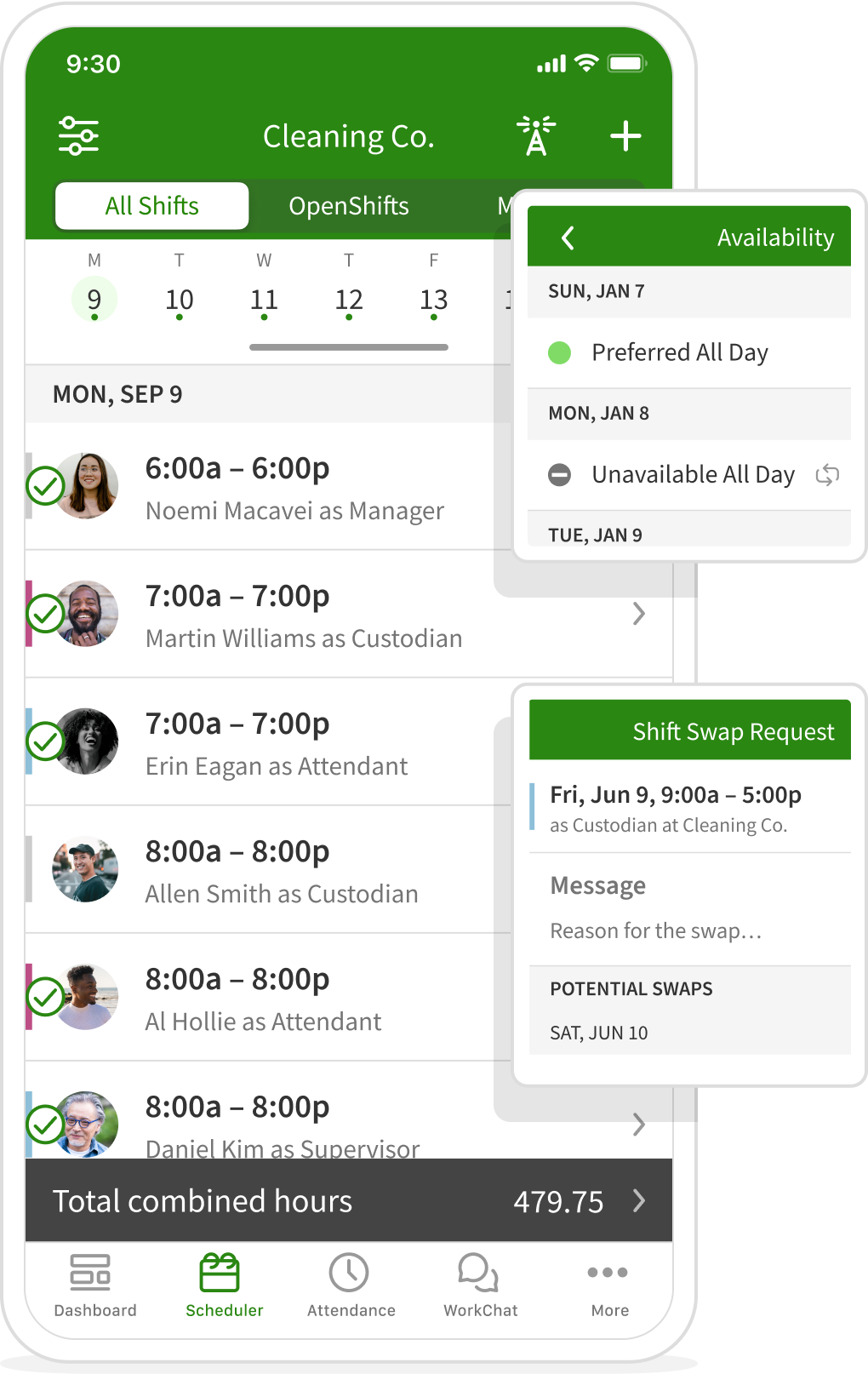
Managing schedules across multiple client sites creates constant pressure to fill gaps, avoid overlaps, and maintain consistent coverage. When schedules live in spreadsheets or text threads, even small changes can take hours to resolve.
When I Work helps you build shift schedules in minutes, notify staff instantly, and keep coverage predictable across every job. Managers can quickly adjust schedules when callouts occur, post OpenShifts to fill gaps, and allow employees to swap shifts within the schedule.
PROFESSIONAL SERVICES TIME TRACKING AND TIMESHEETS
Track hours accurately across every job site
When I Work provides time tracking for professional services that creates a clear, digital record of hours worked.
Employees can clock in from their phone or a shared device, with location-based controls to ensure shifts start at the correct site. Managers can monitor attendance, breaks, and time off while reviewing accurate timesheets in one place.
Overtime alerts help you catch issues early as you build the schedule, so you can control labor costs before they increase. With time tracking and scheduling in the same system, payroll becomes faster and more accurate without manual data entry.


Ashley Feemster
Bobbi + Bricka
2019
PROFESSIONAL SERVICES SCHEDULING RESULTS
Better visibility leads to more reliable coverage
Managing schedules, time tracking, and communication in separate systems creates unnecessary admin work and increases the risk of missed shifts. When everything lives in one place, managers can build schedules faster, keep teams aligned, and maintain clear visibility into staffing across every job site.
Teams using the When I Work app have reported:
20%
decrease in labor costs
8x
time saved scheduling
3x
reduction in employee no-shows
PROFESSIONAL SERVICE TEAM MESSAGING
Keep team communication tied to the schedule
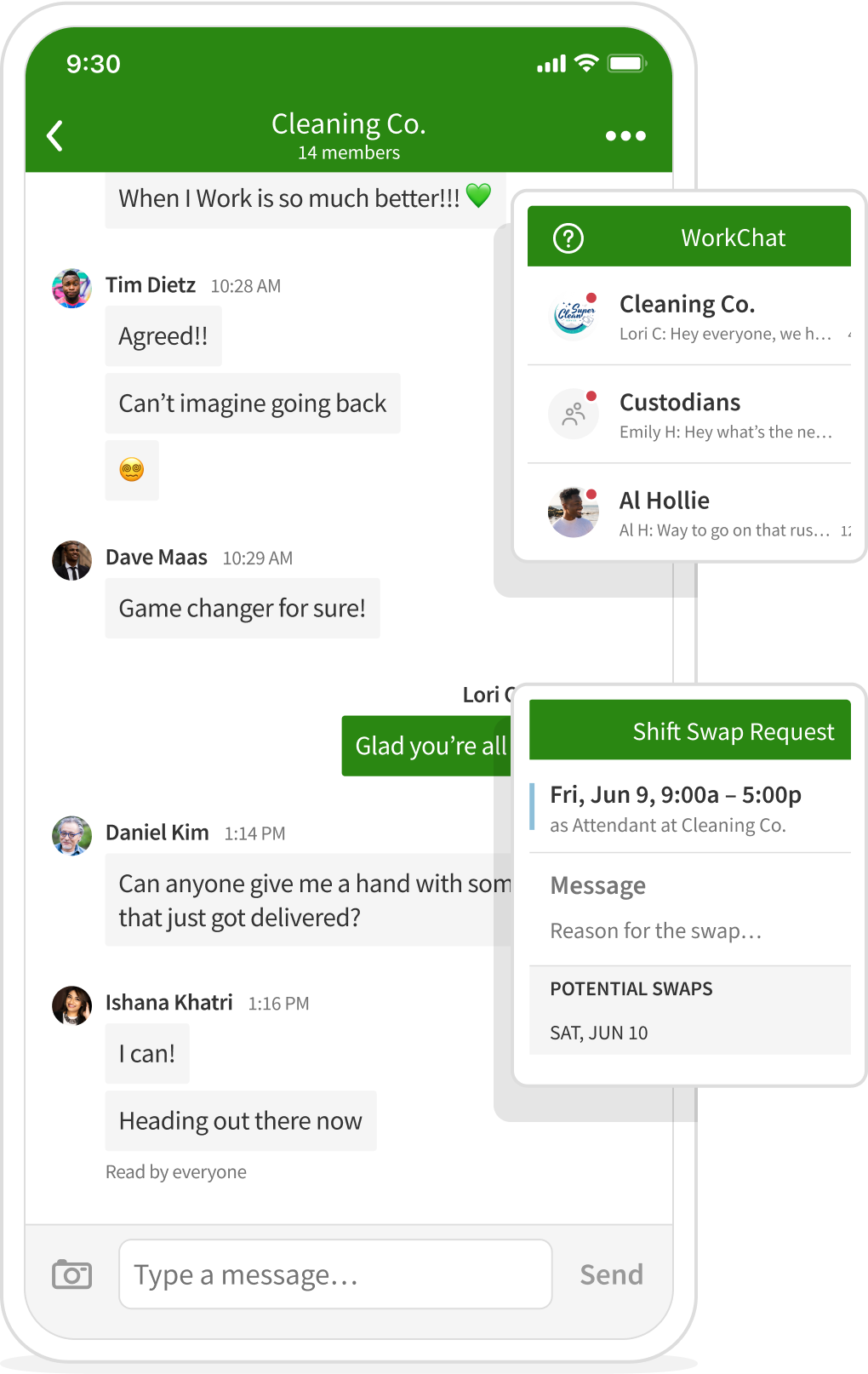
When shift updates are scattered across text messages and different apps, it becomes difficult to confirm coverage is consistent. When I Work keeps communication in the same place as your shift schedule.
Managers can send one-to-one messages, group updates, or announcements to the entire team without managing personal phone numbers. Employees can confirm shifts, request swaps, and respond to updates directly within the app.
Keeping communication with the shift schedule ensures everyone sees the same information, reducing missed updates and the time spent chasing responses.
MANAGE MULTIPLE LOCATIONS
Keep schedules consistent across teams and locations
Managing schedules across multiple locations can quickly become difficult without clear visibility. When I Work lets you assign shifts by location, share employees across sites, and maintain consistent coverage across every job.
Whether coordinating one team or multiple client sites, managers can adjust schedules quickly while staying in control of staffing and labor costs.
PROFESSIONAL SERVICES SCHEDULING SUCCESS
Trusted by teams managing staff across multiple locations
Professional services teams often manage employees across multiple sites, shifting schedules, and changing client demands. When I Work helps managers stay in control of scheduling, communication, and time tracking without relying on spreadsheets or manual processes.
Here’s how teams in security and facility operations use the When I Work app to simplify scheduling and improve visibility.

95
employees
22
locations
3
hours Saved Per Week
Security teams improve scheduling across multiple locations
95
employees
22
locations
3
hours Saved Per Week
Admiral Security Services manages a large workforce across more than 20 locations, providing services such as uniformed security, patrols, and control center operations.
"With such a large team out in the field, using When I Work to manage time-off requests and shift changes saves us 2 to 3 hours each week."
– Sean Martinez , Director of Operations

Before using When I Work, schedules were managed in spreadsheets, making it difficult to track coverage and confirm whether employees had seen their shifts. As schedules changed, managers spent hours each week updating records and contacting staff.
With the When I Work app, managers can build schedules quickly, track shift confirmations, and allow employees to request time off or swap shifts directly within the system. It has reduced admin time and improved visibility across every location.
Products Used
 Scheduling
 Team Messaging

10
employees
3x
time savings weekly
10
locations
Storage facility improves payroll accuracy across locations
10
employees
3x
time savings weekly
10
locations
American Self Storage operates multiple facilities across North Carolina, requiring accurate time tracking and reliable payroll processing across every site.
"I’ve processed payroll using RUN Powered by ADP®, and it went perfectly. There were no issues."
– Barb Mills , Accountant

Before using When I Work, payroll processes required manual verification, increasing the risk of errors and delays.
With scheduling and time tracking in one place, managers can review hours worked and export accurate timesheets for payroll. It has simplified payroll processing and reduced the need for manual corrections.
Products Used
- Scheduing
 Attendance
Professional Service Industries We Schedule
Built for teams working across client sites, routes, and multiple locations
Professional services teams often operate across multiple locations, managing shifting schedules, client demands, and mobile staff. When I Work helps managers coordinate coverage, track time, and keep teams aligned across a range of service-based industries.
PAYROLL INTEGRATIONS
Send accurate timesheets to payroll without extra admin
Processing payroll across multiple locations can quickly become time-consuming when schedules and timesheets are managed separately. When I Work keeps time tracking and scheduling in one place, so hours worked are clearly recorded and ready for export.
Managers can review hours, approve timesheets, and send payroll-ready data to their payroll provider in just a few clicks. That reduces manual corrections, prevents errors, and keeps payroll consistent across teams and locations.
When I Work supports payroll integrations with leading providers:






Loved by millions around the globe
1 in 10 employees have used When I Work.
 by our customers on Capterra.


SCHEDULING AND TIME TRACKING TOOLS
Stay on top of schedules, hours, and labor across every job
When you’re managing teams across different job sites, it’s easy to lose track of who’s working, where they are, and how labor costs are adding up. When I Work helps you make decisions quickly without digging through spreadsheets or chasing updates.
See where your hours are going
When a job runs over, or a site is overstaffed, you need to spot it fast. See how hours are distributed across locations, roles, and shifts so you can adjust coverage before it becomes a bigger issue.

Approve timesheets without chasing people
Instead of tracking down missing hours or fixing mistakes at the end of the week, review and approve timesheets in one place. Hours worked are clearly recorded, so payroll is faster and more accurate.

Keep jobs within budget
It’s easy for scheduled hours and actual hours to drift apart, especially across multiple sites. Compare the two and adjust schedules to keep labor aligned with each job.

Catch overtime before it happens
Overtime usually isn’t planned; it creeps in. Get overtime alerts as you build the schedule so you can fix issues before they turn into extra costs.

Keep break and attendance records clean
When teams are moving between sites, break tracking and attendance can get messy. Keep clear records for every shift without relying on paper logs or manual updates.