Product Blog
2025 Highlights: The Biggest When I Work Updates

Helping you be more efficient, compliant, and connected was on the to-do list for 2025. You do so much for your team, and your community, by keeping your business up and running, so we wanted to make sure you had everything you needed to do it right.
To say thank you for being such a great customer this past year, we worked on taking a few things off your plate so you had more time to focus on your business and your family. You know, those things that really matter.
So let’s take a walk down memory lane and see all the feature updates that have made your work less work this past year. And if maybe you missed some of these updates along the way, well, now you know they’re here and you can take advantage of them from now on.
You’ll learn about:
- Scheduled breaks for proactive shift planning
- Time-off management for maximum flexibility and efficiency
- Scheduler updates for more time savings
- Mobile features to make your life easier
- Location-based plans to give you everything you need
- Clocking in and out of paid breaks for compliance
- Break attestations for better record keeping
- Your 2026 Compliance & Tax Survival Guide
- Rippling Payroll
- Rippling HR, compliance, and more
- Exclusive offer for When I Work customers
Faster, more optimized scheduling
These updates are focused on helping you save time and improve accuracy while building the schedule.
Scheduled breaks for proactive shift planning
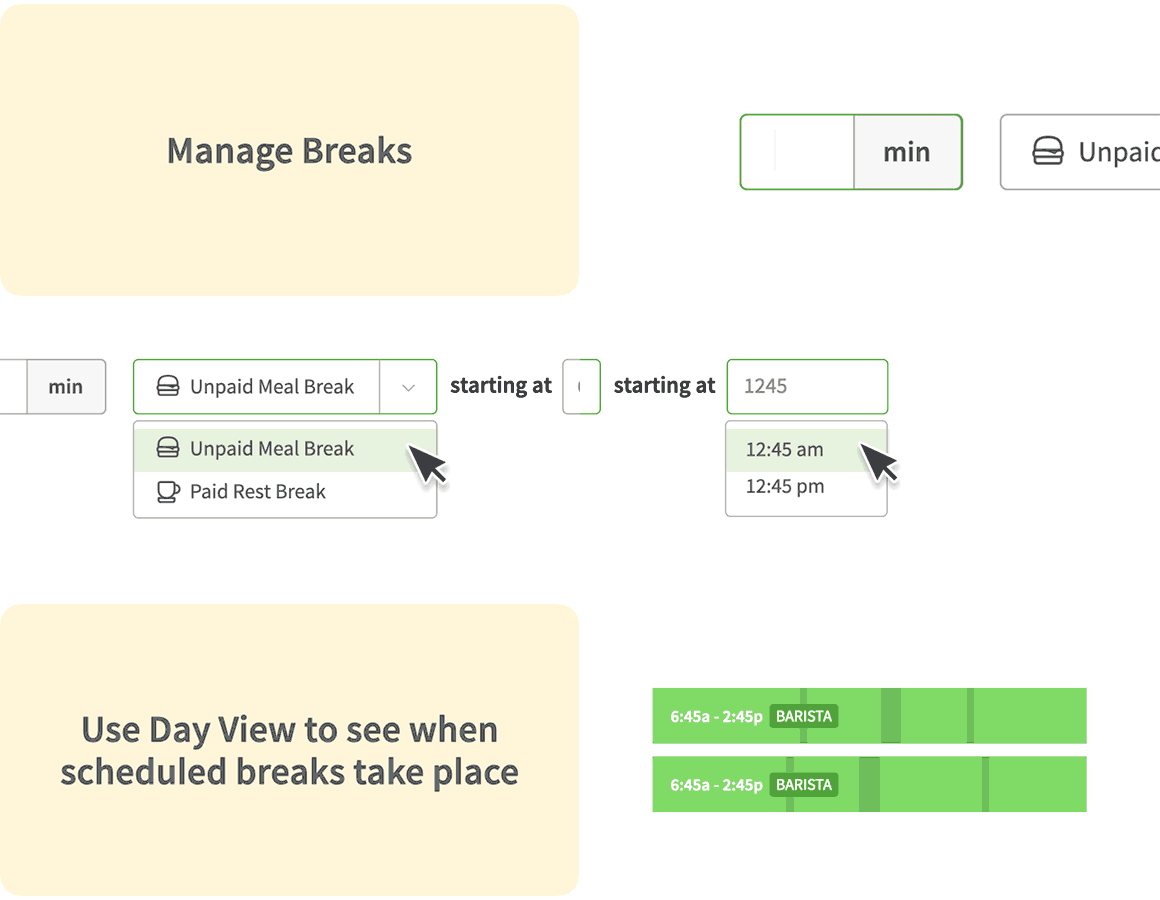
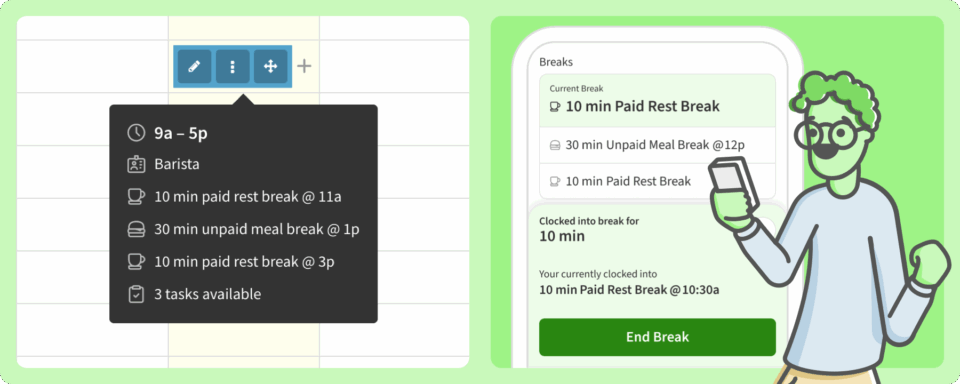
You can schedule when your employees should take breaks, paid or unpaid, directly within their shift, and indicate how long they should be. No more sacrificing break compliance for coverage needs. You’ll get a clear view of coverage during the day, and your employees get clarity on when to take a paid rest break or unpaid lunch.
Time-off management for maximum flexibility and efficiency
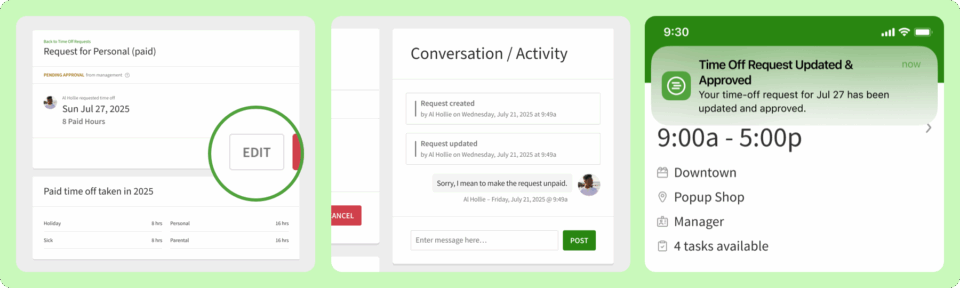
When time-off requests are pending, you can edit them from any device. Anyone with access to the request can make a change, and you’ll get notified of the edits. Save time from now on—instead of you or your employee having to delete a request when plans change and submit a new one, either of you can change it to fit the new plans.
Scheduler updates for more time savings
You can bulk add users from the scheduler to save time during onboarding. New filters and view layouts can help managers find the right person faster. Plus, the new layouts make it so that the publish button doesn’t collapse, making it easier for you to notify your team of any changes.
Mobile features to make your life easier
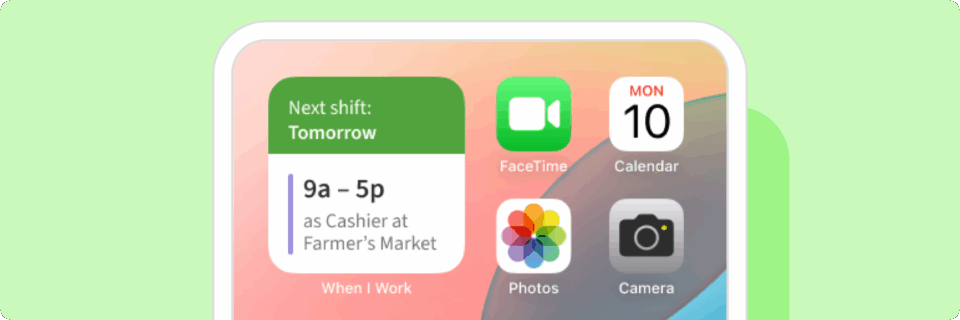
The next shift widget shows your employees when their next shift is, pulled from inside the When I Work app onto their home screen to increase accountability and reduce no-shows, without ever having to open the app. Also, there are some updates to the iOS notification center that makes it easier for users to manage their messages.
Location-based plans to give you everything you need
Unlock the most powerful features in When I Work for growing businesses by choosing one of our new plans, for single locations or multiple-location businesses. You’ll get all the tools and features you need, especially ones that might not be available in older plans.
| Feature | Your OLD plan | NEW single location plan |
| Shift scheduling | ✅ | ✅ |
| OpenShifts, swaps, and drops | ✅ | ✅ |
| Team messaging | ✅ | ✅ |
| Basic breaks | ✅ | ✅ |
| Time & Attendance • Mobile clock in • Geofencing • Missed clock in notifications • Early clock in prevention • Time-off accrual • Attendance notice reporting • Timesheet rounding | ❌ | ✅ |
| Payroll integrations | ❌ | ✅ |
| Advanced break management (Schedule multiple breaks within a shift, break attestation) | ❌ | ✅ |
| Scheduling rules | ❌ | ✅ |
| Absence tracking | ❌ | ✅ |
| Advanced repeating shifts | ❌ | ✅ |
| Custom unit labor forecasting | ❌ | ✅ |
| Overlapping OpenShift coverage | ❌ | ✅ |
Confident compliance
Simplify the most complicated time management tasks and reduce your legal risks to get more peace of mind.
Clocking in and out of paid breaks for compliance
Scheduling breaks also helps you manage compliance with break laws. Having your workers clock in and out of breaks ensures accurate payroll and audits as well as making sure that they are taking paid and unpaid rest breaks in accordance with growing labor laws.
Break attestations for better record keeping
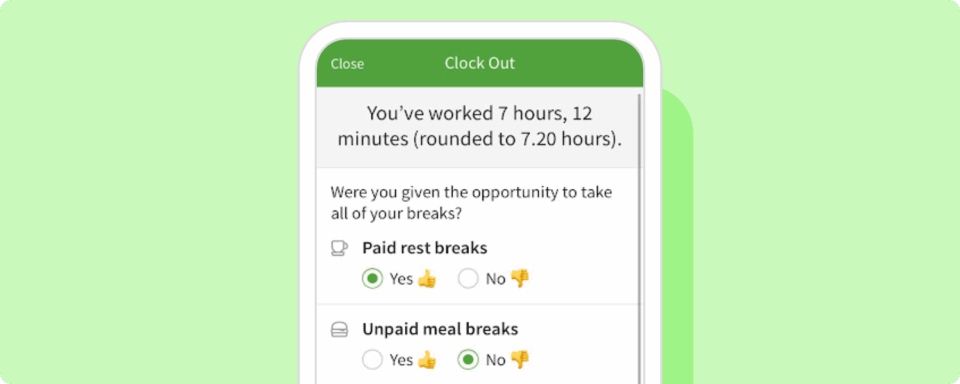
Attestation gives you physical evidence that your employees are offered breaks. When your worker clocks out, the app will ask them if they had the opportunity to take a break. This is critical data to have, especially if you operate in California.
Your 2026 Compliance & Tax Survival Guide
Check out this recent webinar to find out how you can tackle year-end tasks and set yourself up for easier compliance in the new year. Watch the recording to learn about compliance, tax, and payroll options to help you save even more time. You can also check out our past payroll webinar to find out how to get error-free payroll in less time.
Connected payroll and more from Rippling
Take advantage of seamless data flow and get faster automation with increased compliance by signing up with our preferred partner, Rippling.
Payroll
Get error-free payroll runs in just 90 seconds with Rippling payroll. Because Rippling is our preferred partner, the integration syncs automatically with When I Work to send over hours, time off, and overtime.
HR, compliance, and more
As your business grows, you have more responsibilities, including employee benefits, labor law compliance, and time-consuming tasks managing a larger organization. Rippling can help with all that, from permissions, to labor law updates, to automated workflows and more. You’ll get an all-in-one system that combines with your When I Work scheduling to handle every part of your business.
Exclusive offer for When I Work customers
You’ll get 6 FREE months of everything Rippling has to offer, including payroll, compliance, and more.
What’s in store for 2026
2025 was all about saving you time on scheduling, helping you with compliance, and getting you connected to an all-in-one solution with our preferred partner, Rippling, for your growing business. In 2026, you can expect us to be focused on more automation, more compliance, more custom rules, and more insights for managers. These are all things you can use to make your business successful for years to come.
Continue to make work less work—use the When I Work scheduler and check out Rippling to get a head start on 2026. Thanks again for being such a great customer, and helping to make When I Work everything that it is.