
Payroll Resources
How To Do Payroll Yourself: A Step-By-Step Guide

If you want to learn how to do payroll yourself, here are the key things you need to know first:
- Calculating payroll manually can be time-consuming
- Manual processes increase the likelihood of errors
- Payroll software streamlines payroll processing
- By using software, you can save time and increase payroll accuracy
- It’s vital to find the right payroll tools for your business
Learning how to do payroll yourself can save money. You’ll also enjoy greater control over your business finances. Are you a small business owner handling payroll yourself? Our guide walks you through the process step by step. Use these strategies to stay organized and avoid errors.
Here are some practical payrolling strategies designed to help you process payroll yourself without exposing your business to undue risk.
Table of contents
Why do payroll yourself?
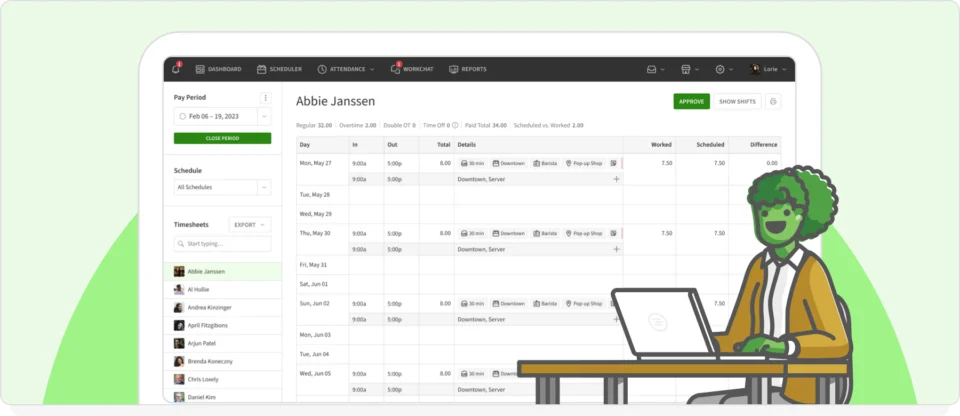
Not sure if you should handle payroll internally? Here are a few reasons you should consider doing your own payroll.
Save money
Taking care of your own payroll can offer money-saving benefits. However, there will come a point when managing payroll yourself becomes tedious and time-consuming. The good news? There are some great alternatives to outsourcing, such as adopting full-service payroll software.
Have more control over the process
Outsourcing means giving up a little (or a lot) of your control over your business. There are times when outsourcing just makes sense. However, you also need to know what’s going on with your business. Keeping your financial processes in-house maximizes visibility into cash flow and labor expenses.
Ensure compliance with laws and regulations
If you learn how to do payroll yourself with the support of payrolling software, you can make maintaining compliance a breeze. The best tools are jam-packed with compliance tools and other features designed to protect your bottom line. These tools are valuable come tax time, as they help you streamline IRS reporting processes.
How to do payroll yourself manually
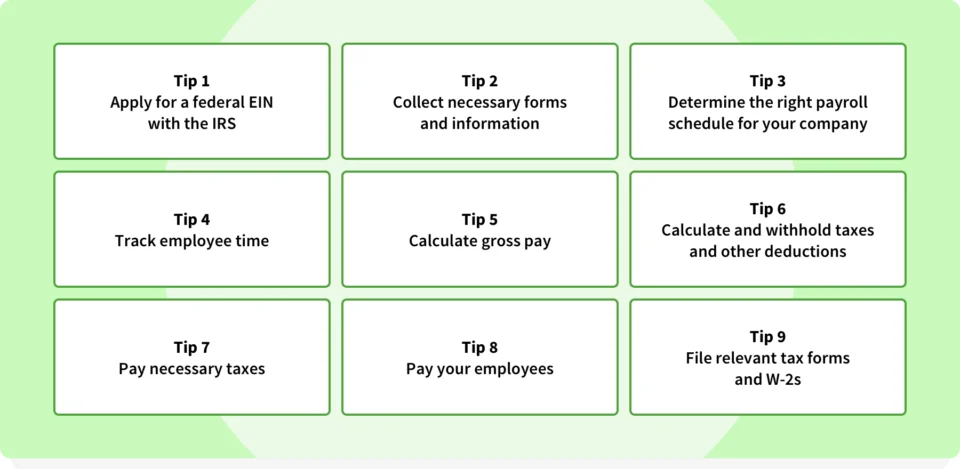
Here are some basic payroll tips for small businesses that will help you perform manual calculations. Make sure you know the specific regulations for your industry and location.
1. Apply for a federal EIN with the IRS
First, you’ll need an employer identification number (EIN). This unique number identifies your business as a tax-paying entity. You’ll have to include your EIN on all tax documents and business files, including the documents outlining payroll expenses, tax withholdings, and more.
2. Collect necessary forms and information
Next, gather forms about your employees, such as direct deposit authorizations and multiple forms of identification. It’s vital that you verify the identity of each person on your payroll.
3. Determine the right payroll schedule for your company
Select a payroll schedule, such as weekly, biweekly, or monthly. Weekly and biweekly are the most common. Biweekly tends to be a popular option because it minimizes how many times you have to process payroll each month.
Your payroll schedule also affects your cash flow and compliance. Check out our guide to payroll schedules for your business. The information it contains will help you choose the right fit for your team.
4. Track employee time
You’ll need a simple and reliable way of tracking employee time. You could go with an old-school time clock, but these tools are inefficient and prone to errors.
The best option? Invest in a time-tracking app. Check out our guide to the best employee time-tracking apps so you can find the ideal solution for your business.
5. Calculate gross pay
It’s simple to calculate gross pay for each employee. Multiply the number of hours they worked in the pay period by their hourly rate. For instance, if an employee works 80 hours per biweekly period and gets paid $20 per hour, their gross pay comes out to $1,600. Add up the gross pay of all employees to determine your total gross payroll costs.
6. Calculate and withhold taxes and other deductions
Next, you’ll have to calculate and withhold taxes and other deductions (e.g., 401(k) contributions, benefits, child support, etc…) from each employee’s check. Be careful to triple-check your calculations to ensure you withhold the right amount from each person’s pay.
7. Pay necessary taxes
You’ll have to pay necessary payroll taxes for both your business and each individual’s income taxes. It’s vital that you pay out the right amount for each person based on their elections. Otherwise, they are likely to owe the IRS more at the end of the year.
8. Know your payroll tax responsibilities
Before running payroll, know the primary payroll taxes you must manage. Common examples include:
- Federal income tax withholding
- Social Security and Medicare taxes
- Federal Unemployment Tax Act taxes
- Any applicable state or local payroll taxes
Payroll software can calculate these amounts for you. However, it’s up to you to file and pay your taxes correctly.
9. Pay your employees
Finally, each employee’s net pay will be distributed using their preferred method. Most employees will probably request a direct deposit, but some may prefer a paper check.
10. File relevant tax forms and W-2s
At the end of the year, file all tax forms to report your payroll expenses and any fees you paid out. Also, create and provide employees with their W-2s so they can file their individual tax returns.
Pros and cons of doing payroll yourself
Does manual payrolling sound like a lot of work? That’s because it can be! Let’s take a closer look at the good and bad of manual payrolling for small businesses.
| Manual payroll | Payroll software |
| Lower upfront cost | Monthly software subscription |
| Complete control over payroll | Automates calculations |
| Manual calculations with a high risk of errors | Automatic calculations and minimal risk of errors |
| Greater chance of mistakes | Improves payroll accuracy |
| Time-consuming | Saves time every pay period |
| Difficult to scale | Easily scales with your business |
Want to reduce payroll mistakes? Learn about common payroll issues to avoid in our free guide.
Easy alternative to manual methods: Payroll software
Small business payroll software includes a wealth of features and tools designed to help streamline payrolling processes. It’s way more affordable than hiring accounting contractors or bringing in a full-time payroll person. It allows you to maintain total control over your expenses, identify cost-saving opportunities, and automate tedious processes.
How to do payroll yourself with payroll software
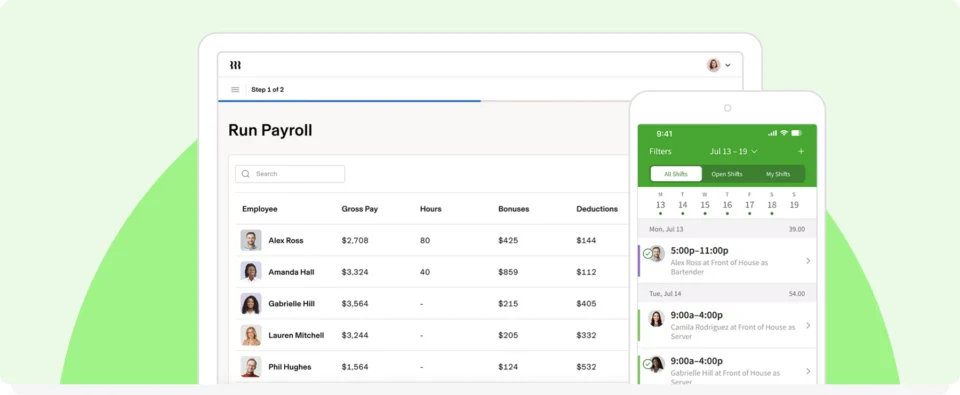
Payroll software could be the answer to all of your manual payrolling headaches. With that in mind, here’s a brief rundown of how to do payroll yourself with software. This isn’t an exhaustive list, so make sure to consult with local professionals to ensure you are complying with all relevant regulations.
If you’d like to learn more, see how payroll software works before comparing providers.
1. Determine what type of payroll software your company needs
Full-service payroll solutions can include employee scheduling, time tracking, and more. Look for a tool with accounting integrations to save time and centralize your data. The alternative is a limited payroll tool that tracks hours worked.
2. Explore software options
Next, explore the best small business payroll options. Make a wish list of must-have features and see which platforms best align with your needs.
Group the features you want into must-have and nice-to-have. Prioritize options like time tracking and reporting. Make sure the tool is easy to use before making your decision.
3. Choose the best one for your business needs
Don’t buy before you try. Take advantage of free trial opportunities so you can see each option in action for yourself.
4. Enter your company information
During onboarding, you’ll have to provide your EIN and some other basic company details. Make sure to customize your workflows so you can get the most out of the platform.
5. Run payroll
Running payroll becomes much easier with a connected tool. Approved timesheets feed directly into your workflow. The software calculates hours, wages, and deductions for you. All you have to do is review payroll before finalizing it.
6. File taxes and any other paperwork
The best tools help generate tax forms and organize payroll reports. They integrate with your preferred payroll provider. Top solutions simplify year-end reporting by keeping your records organized.
7. Enjoy the time you saved!
Use that extra time to focus on growing your business. Allocate the money you saved to exploring new opportunities and focus on other areas of your business.
Ready to simplify payroll? Employee scheduling, time tracking, and approved timesheets mean less time spent processing payroll. Focus on running your business. See how When I Work simplifies payroll!
Make your payroll process easier with help from When I Work
Don’t waste your time with manual payroll accounting processes. Following payroll best practices saves you a ton of hassle.
Use employee scheduling, team messaging, and time tracking software like When I Work. Timesheets make it easier for you to do your own payroll, or you can integrate with your favorite payroll provider to save time and reduce errors. Schedule a free trial of When I Work and experience the advantages!
How to do payroll yourself FAQs
Can I do payroll by myself?
Yes. Many small business owners process payroll themselves. Payroll software can automate calculations while helping you stay in control of the process.
How do I do payroll for beginners?
Obtain your Employer Identification Number and collect employee tax forms. Choose a payroll schedule and track employee time. A payroll reporting tool makes these steps much easier.
Can I do payroll manually?
Yes, if you run a very small business. However, it requires more time and increases the risk of making calculation errors. Payroll software automates many of these steps.
How do I calculate my payroll?
Multiply each employee’s hours worked by their hourly wage. Then, subtract taxes and other deductions to calculate net pay.